1Download
Get the Hub zip just above and unzip it.
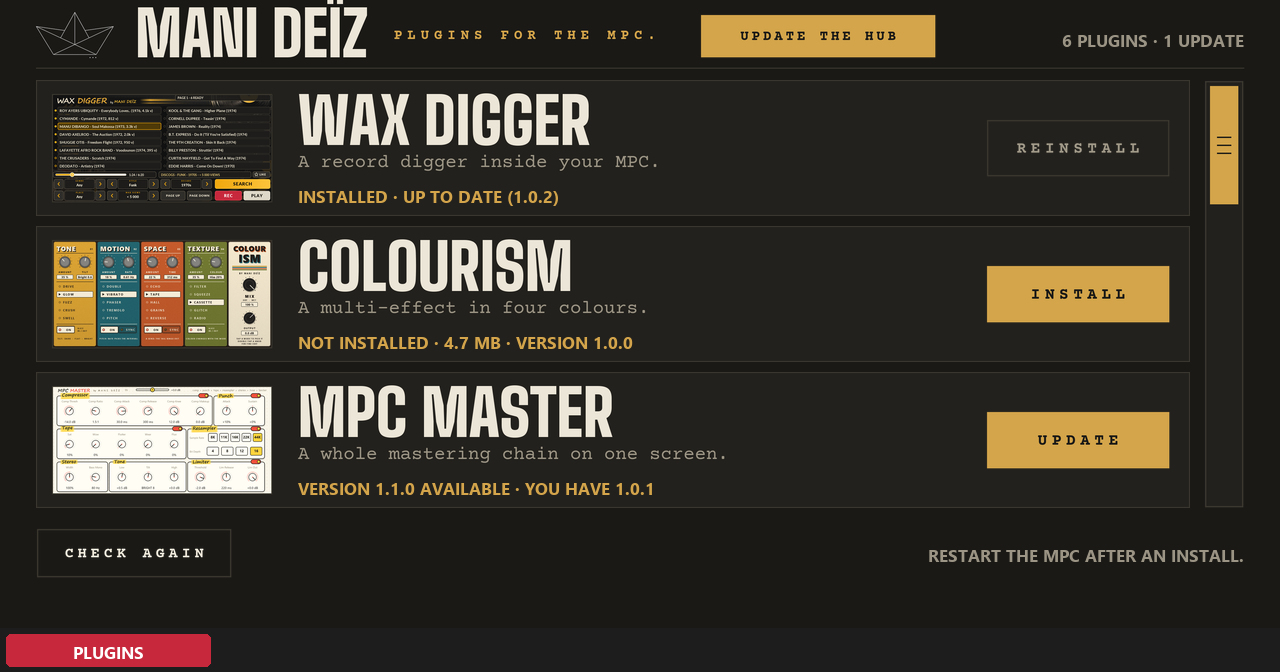
Made by a beatmaker, on the machine they run on. Every MANI DEÏZ plugin on the MPC screen: touch INSTALL and it is on your drive; when a new version comes out, touch UPDATE. Over Wi-Fi or Ethernet, no computer after the first install.
Free · zip, 0.9 MB · MPC OS 3.10.1 or later
Once on your computer, then everything happens on the MPC.
Once, on your computer
Get the Hub zip just above and unzip it.
Put the folder inside into “VST2 Plugins” at the root of your SD card or USB drive. No “VST2 Plugins” folder there? Create it with exactly that name: the MPC does not make it.
On the MPC: Preferences, then Enhancements (Beta). Enable Enhancements and External Plugin Support, then restart.
Then, on the MPC
Make a plugin track and pick Mani Deïz Hub, under MANI DEÏZ. Connect the MPC to the network first (Wi-Fi or Ethernet).
On the plugin you want, as many as you like. When a new version comes out, the Hub tells you: touch UPDATE.
Restart the MPC: the new plugins are listed under MANI DEÏZ.
You need MPC OS 3.10.1 or later: older firmware cannot load third-party plugins. Made on the MPC Live III, built for the other standalone MPCs too (not tried on them yet). No network on your MPC? Each plugin's GitHub page explains how to install it by hand.
6 plugins, all free. Touch one to see what it does.
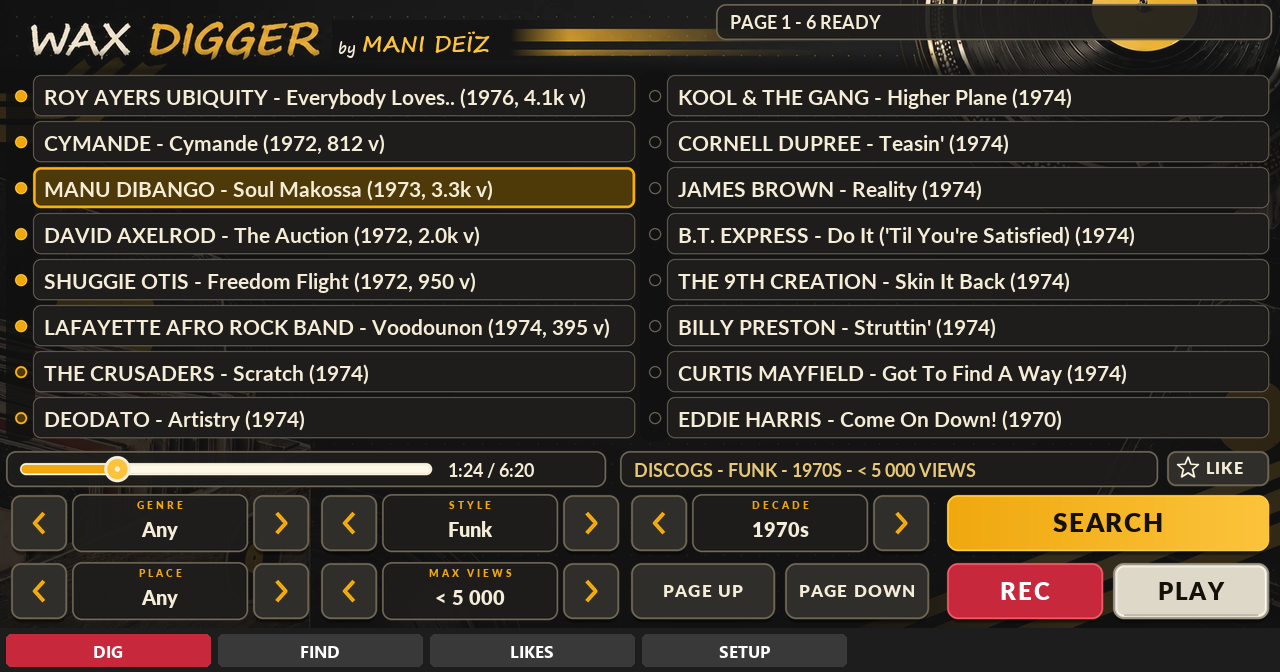
A record digger inside your MPC.
Free · beta · 70 MB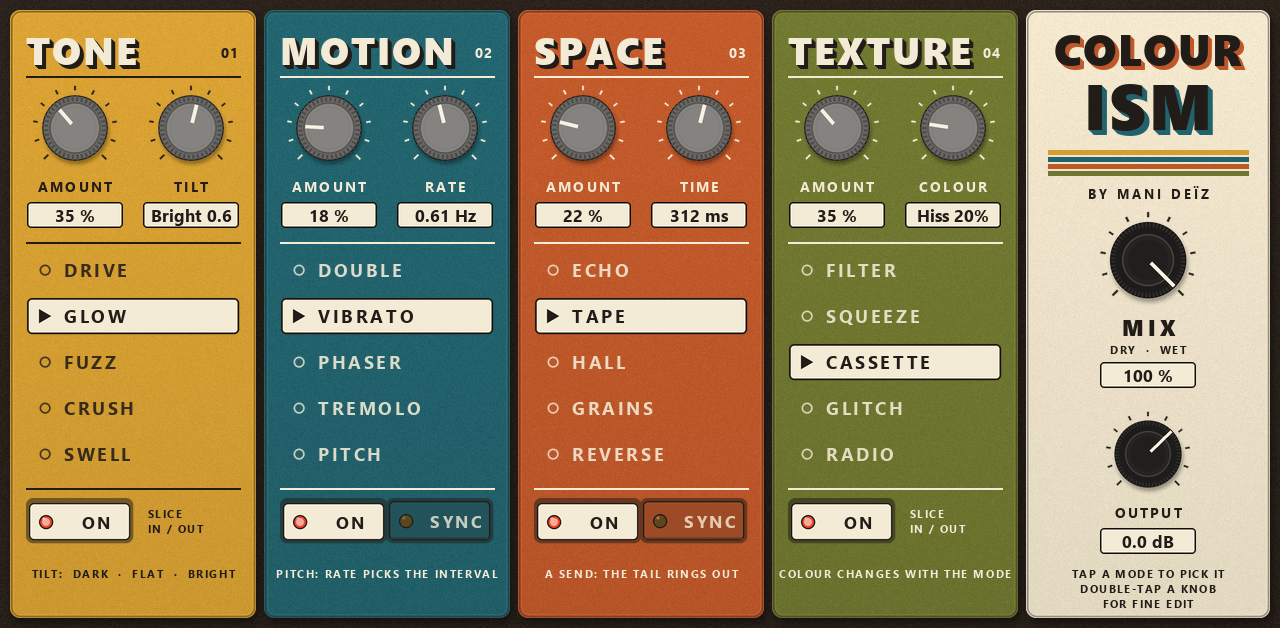
A multi-effect in four colours.
Free · 4.7 MB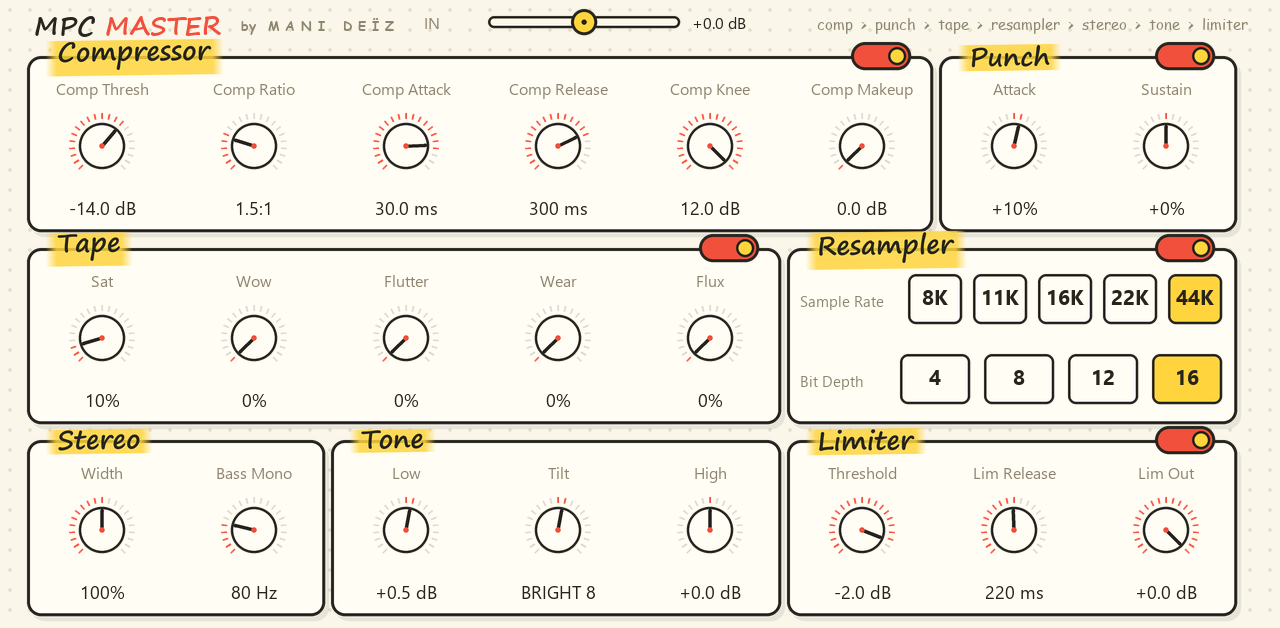
A whole mastering chain on one screen.
Free · 0.8 MB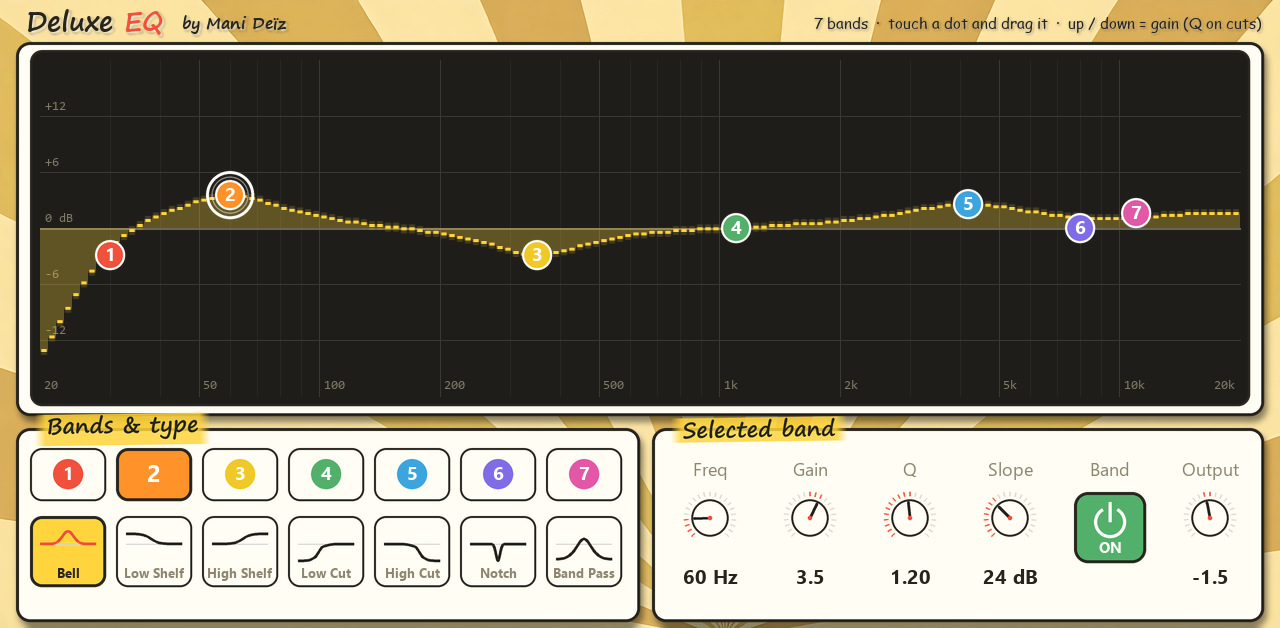
A 7-band EQ you play with your finger.
Free · 0.6 MB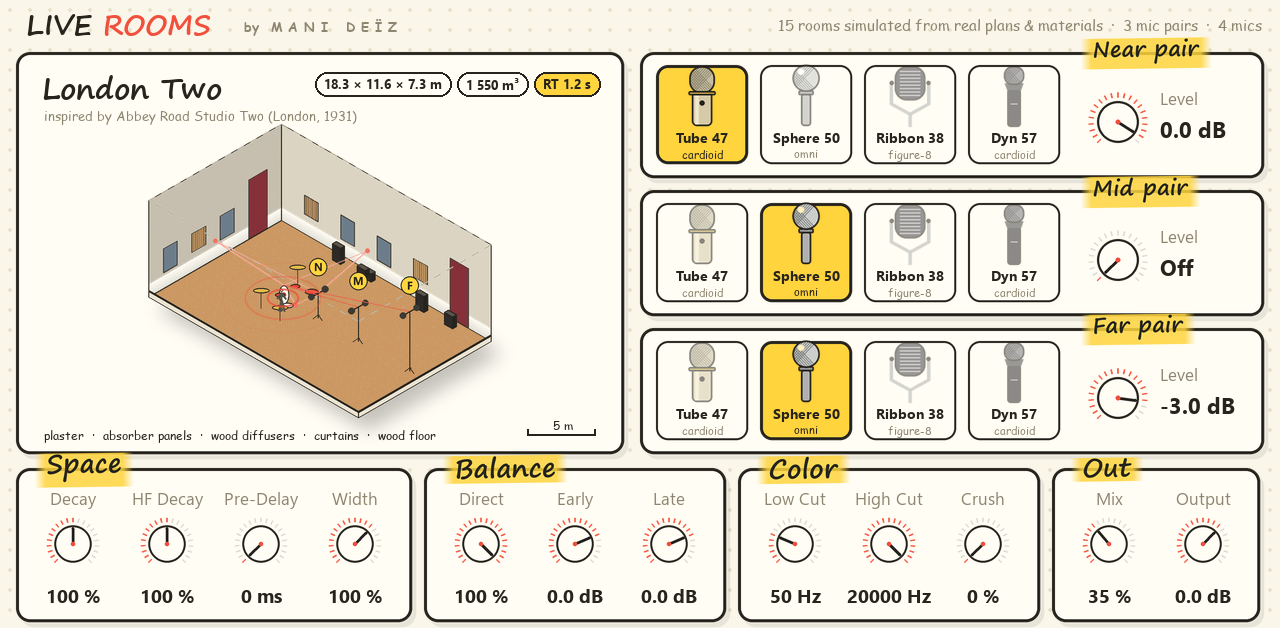
Real rooms and echo chambers around your sounds.
Free · 62 MB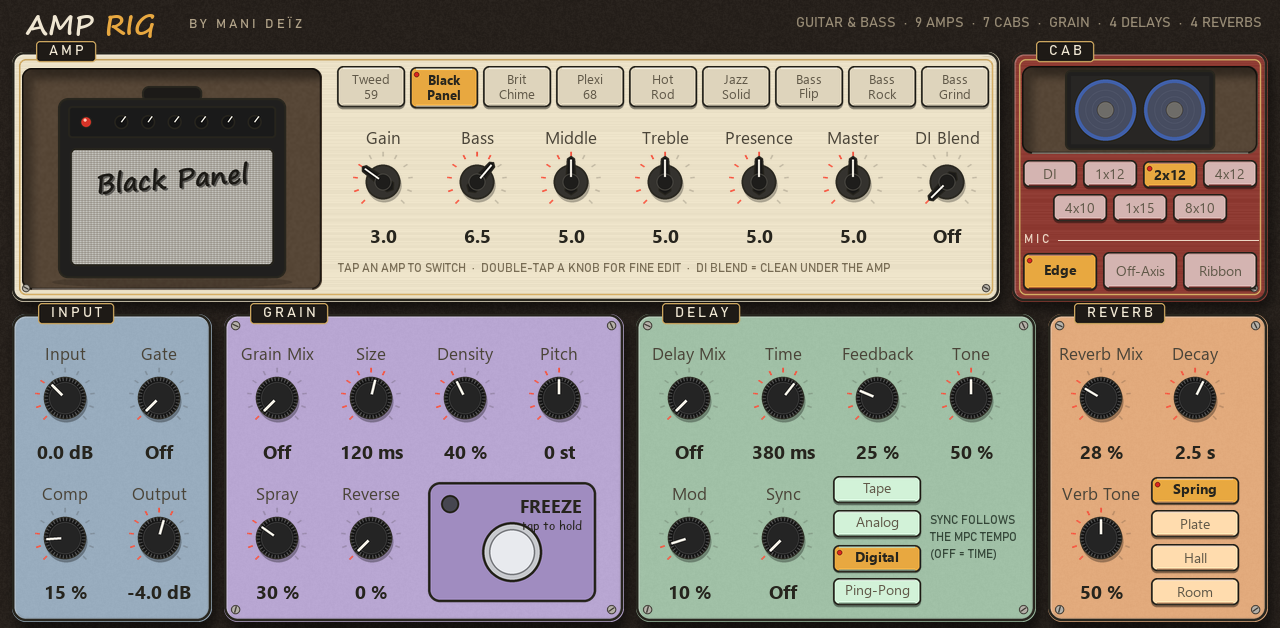
A whole guitar and bass rig in one insert.
Free · 1.5 MBSearch, tap a title, hear it at once, record the part you want. It runs on the MPC itself, over Wi-Fi or Ethernet: no computer, no phone.
Four slices in a row, each with its own colour: Tone, Motion, Space and Texture. Switch them on, pick a mode in each, turn two knobs. Twenty sounds on one touch page.
Put it on your master or on a drum bus and finish the beat without leaving the MPC. Everything is on one page, in the order the sound goes through it.
An equalizer made for a touch screen. Seven bands, each one a coloured dot sitting on the curve: touch it, drag it, hear it.
Not an algorithmic reverb: fifteen rooms built from their plans and materials, simulated physically and heard through three pairs of virtual microphones.
Plug your guitar or your bass into the MPC and play through nine amps, seven cabinets and a pedal board, all on one touch page.
Tell us through the contact form: your MPC model, its MPC OS version and what happened. Keep the log files from the plugin folder on your drive (hub_log.txt for the Hub, wax_log.txt and engine_log.txt for Wax Digger): they say what went wrong, we may ask you for them. Report a bug
The plugins and the Hub are © MANI DEÏZ, all rights reserved. They are free to use; please share the link to this page rather than re-uploading the files. They are independent plugins, not made, endorsed or supported by Akai Professional. “MPC” and “Akai Professional” are trademarks of inMusic Brands, Inc.